
UX Design Certificate
A Live UX Design Certificate Program in User Research, Figma, and Human-Centered Design

DWC’s UX design certificate program is a live, instructor-led training built for working adults who want to move into a UX or product design role or add user-centered design skills to what they already do professionally. Every session meets in real time with an active UX practitioner as instructor and a small cohort working toward the same goals. The curriculum covers the full UX design process: user research, personas, journey mapping, wireframing, prototyping, and usability testing in Figma, visual and interaction design, design systems, accessibility, HTML and CSS fundamentals for designers, and AI-powered design workflows. Students build a portfolio and UX case study across all six modules and finish with a live Capstone presentation. The program is eligible for WIOA workforce funding, and many students across Colorado, Utah, Oregon, Indiana, Iowa, and Illinois complete it at little or no out-of-pocket cost.
From the first session, you work on real design problems using the tools and workflows that UX teams use inside tech companies, agencies, and product organizations. You conduct user research and interviews, synthesize insights into personas and journey maps, build wireframes and interactive prototypes in Figma, test your designs with real users, and iterate based on what you learn. Each module builds toward your portfolio, and the program concludes with a live Capstone presentation and critique. For a full picture of job demand, salary ranges, and what employers screen for in entry-level UX candidates, visit the BLS Web Developers and Digital Designers page.
Length & Frequency
6 Months (approx) | 3 sessions per week
Delivery
Online with 100% live instruction
Tuition
$6,995
Upcoming UX Design Schedule
UX Design Q3/2026 | Start Date: 07/20/2026
UX Design Q4/2026 | Start Date: 10/19/2026
What You Will Learn in This UX Design Certificate Program
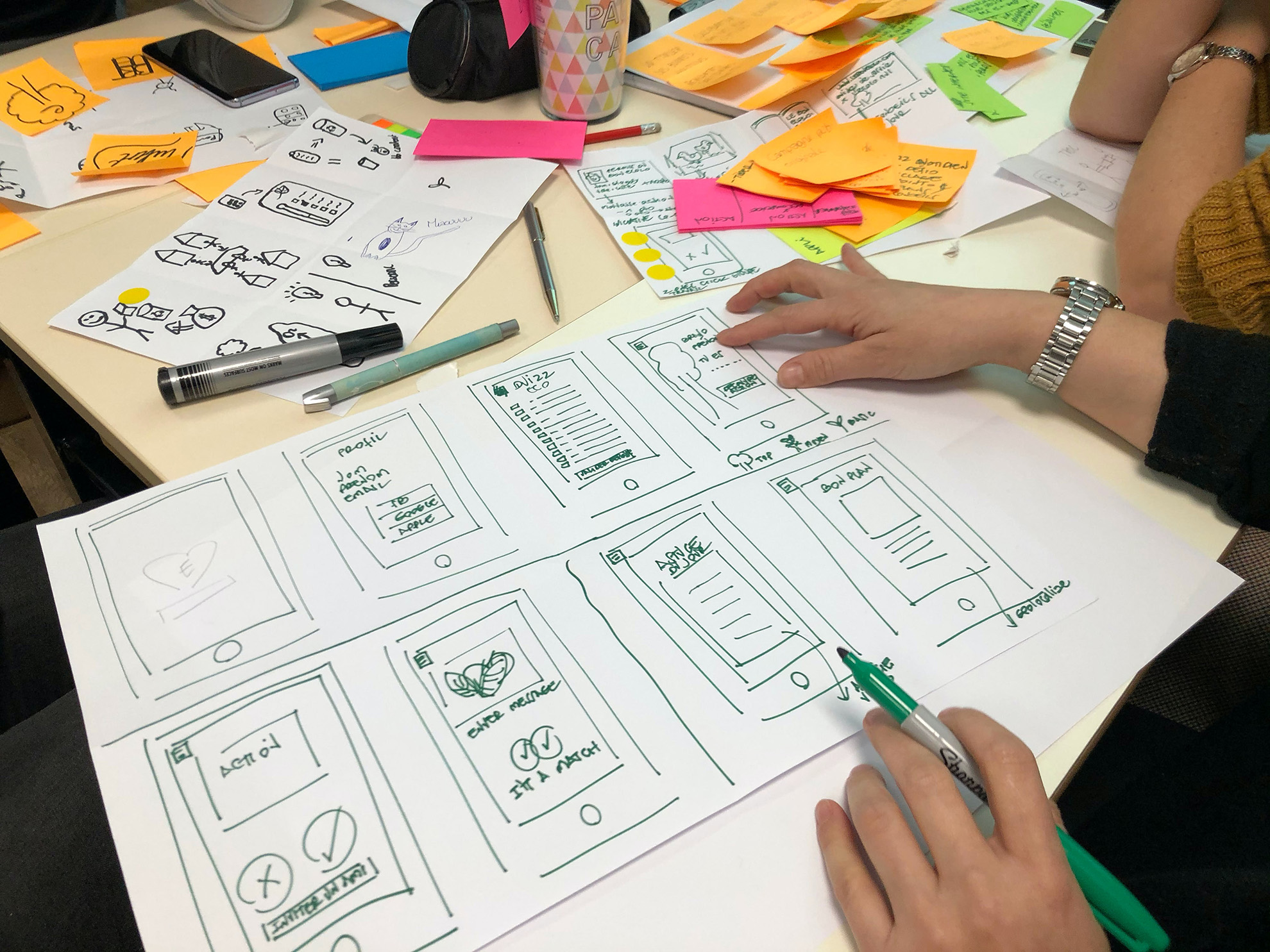
The curriculum follows the actual UX design process from beginning to end. You start with research and discovery, the most overlooked and most important part of the job, and build progressively through visual design, prototyping, design systems, and the technical and professional skills that make a UX designer effective inside a real product team. AI tools are woven throughout rather than treated as an afterthought.
Download the Program Guide for a complete curriculum overview.
UX Design Certificate Curriculum
Module 1: Introduction to User Experience (UX) Design
In Module 1, students will explore the fundamental concepts of User Experience design, how to develop user personas, user journeys, and sketching out ideas. Students will explore the components of a case study and user flows. By the end of this module, students will begin designing in Figma and use it throughout the rest of their program.
- Overview and Fundamentals. Vocabulary. What is Critique?
- Tools 101: tool overview, set-up Figma, image editing tool setup (e.g. Canva)
- Discussion of Final Project and our Portfolios (Due at end of course)
- Define a Case Study and how to keep project notes
- Discovery & Research, User interviews,Personas, Journey
- Competitive Analysis & Analytics
- Wireframes & User Flows and how to set them up in Figma
- Intro to User Interface Design
- Sketching
- Info Architecture & Navigation
- Tools 202: Intermediate Topics including Prototyping in Figma
- Usability Testing
Module 2: Design Fundamentals
In Module 2, students will learn the principles and elements of graphic design in order to create beautiful designs. Understanding visual compositions begins with exploring the theories behind successful designs, as well as color theory, and typography. By the end of this module, students will have a foundation of design to be able to build upon as you work towards your final project.
- Designing on a Grid
- Intermediate UI Topics & Interaction Design
- Typography
- Visual Design
- Gestalt Principles, Color, and Composition
- Low-Fidelity vs. High-Fidelity
- Tools 303: Advanced Tasks and Techniques
- Responsive Design
- Mobile user mindset
- Accessibility
Module 3: Digital Project Design
In Module 3, students examine the digital project design life cycle and begin to explore more tools to assist with UX writing. Explore how AI can help assist with UX work and learn what it means to work on a UX team. By the end of this module, students will begin to create case studies that will be essential to add to their portfolio.
- Design Systems & Style Guides
- UI Patterns
- Styles and Libraries
- Project Organization
- Mini-Tools-Lesson: Building Figma Components
- UX Writing
- Using AI to develop content
- Content: images, animations, text, video, and more.
- Project Work Session
- Project Presentations
- Team Critique
- Initial Case Study
Module 4 - Ways of Work
In Module 4, students will create complex mockups using Figma and other design tools. Learning how to improve storytelling in order to embed your personas into your designs is key. By the end of this module, students will have taken an idea from sketch to mockup and begin to present their work to the class.
- Further Design Portfolio Topics: platforms, strategies, resumes
- Project Management & Planning
- Working with various stakeholders
- Whiteboarding
- Process. Agiles vs. Waterfall. Design Sprints.
- MVP and Prioritization
- The structure of creative teams
- The business of design
- Storytelling & Presentation
- Mockups
- Capstone Project Critiques (review of work-in-progress)
Module 5 - Advanced Topics & AI
In Module 5, students learn about HTML and CSS, as well as how AI tools can improve your UX Design workflow. Continue to explore Figma and the advanced features it provides to designers. By the end of this module, you will be well versed in advanced design systems modern UX design skills.
- Working with Technical team members
- How the web functions, technically
- HTML/CSS
- Artificial Intelligence (AI) in Design
- Designing complex UI and Forms
- Advanced User Testing, heat maps, surveys, focus groups
- Visual Design: further techniques and tips
- Advanced Design Systems
- Mini-Lesson Advanced Prototyping with Figma
- How to create the perfect Project Hand-off
Module 6 - Portfolios & Capstone Project
In Module 6, students have an opportunity to put their finishing touches on their portfolio. As students begin to look after graduation and to the next step of their career path, our instructors will provide mentorship on what the job market trends look like, and how to prepare to find work as a UX Designer. At the end of this module, students will present their final Capstone project and receive critique from their peers.
- Finding work as a Designer
- Design Interviews
- Portfolio: further planning, review designer portfolios, critiques
- Work sessions with other students, with instructor, and solo to work on portfolio, project, and case study
- Final Presentations and Critique
Tuition

DWC partners with Climb Credit to offer flexible student financing for all certificate programs, with monthly payment options designed for working adults in career transition. Institutional scholarships are available for veterans, women in technology, and individuals experiencing financial hardship, and may significantly reduce your total tuition cost.
DWC is also an approved provider under WIOA workforce training grants, which may cover full tuition for qualifying students at no out-of-pocket cost. Review the financial aid options below to find the combination that works for your situation.
Tuition Example
As low as $193/month*
Easy Ways To Pay
- Pay up front and in full
- Finance through Climb Credit
- Apply for a scholarship or workforce grant
Financial Aid and Discount Options
Climb Credit Financing
All DWC certificate programs are eligible for Climb Credit student financing, with approval typically within minutes and a soft credit check that does not affect your credit score. Climb Credit considers the return on investment of your program alongside your credit history, making approval more accessible than traditional lenders. Options include consistent monthly payments over 36 months or as low as $20 per month during active training, transitioning to full payments after graduation.
WIOA Workforce Funding
DWC is an approved provider under the Workforce Innovation and Opportunity Act (WIOA), which may cover full tuition with no out-of-pocket cost for qualifying students. Veterans, displaced workers, and low-income adults are priority populations under WIOA and are strongly encouraged to check their eligibility before committing to any payment option. Contact your local American Job Center to begin a free eligibility assessment.
Community Heroes Discount
Active nurses, teachers, first responders, firefighters, and police officers receive 40% off all DWC certificate programs with no lengthy application required. Verify your current role and receive your discount code within 2 business days, then apply it at registration toward any eligible program.
The discount can be combined with Climb Credit financing for the remaining balance to further reduce your monthly cost.
Next Mission Scholarship -- Veterans Only
Qualifying veterans receive 80% off standard tuition on this program, with the remaining balance financed through Climb Credit for longer programs or paid directly to DWC in two equal payments for shorter programs. Eligibility requires an honorable discharge, separation within the past 7 years, and individual annual income between $30,000 and $75,000. Veterans whose income falls outside this range may qualify for the Community Heroes Discount or fully funded training through VA Vocational Rehabilitation.
*¹Actual price of program varies. ²Average award shown as an example only. Scholarships are reviewed and awarded individually. Scholarship award amount may vary. No amount of scholarship funding is guaranteed. ³Subject to lender terms and loan approval. This is not an offer for a loan. These loans are not offered or made by Digital Workshop Center but are made by the loan provider. These terms are representative and may not be the exact terms of your loan. ˆAvailable to those who qualify and subject to lender terms and loan approval. ˆˆPayment Plans available to those who qualify and subject to lender terms and payment plan approval.
Support Every Step of the Way
Guidance from pre-enrollment to graduation
Admissions Advisors
From pre-enrollment through your first day, talk to our advisors to learn all the important details about your program
Mentoring
Instructors are here to be your mentor before, during & after class. Working with an expert as a mentor will help you become industry-ready.
Student Support
Our dedicated student affairs manager will be there to help you get your accounts setup, assess your technology, download the proper files and more.
Career Coaching
Meet with a career coach to review your updated resume, portfolio & LinkedIn profile, as well as job search and interview techniques.
Tech Support
While in your program, if you are stuck and need help you can reach out to our tech support for guidance. Whether through Slack, email or phone.
Internships & Alumni
Sign up for our micro-internship network and explore new opportunities. Our alumni network is also available to all students.
Who This Program Is For
This program is built for adults who want to move into UX or product design and need a structured, instructor-led path to get there with real projects and real feedback, not a self-paced video library they will abandon when they hit a wall. It is also well-suited for graphic designers who already have visual design skills and want to add the research, testing, and systems thinking that UX roles require, and for marketing and communications professionals who work closely with product teams and want to understand the design process well enough to contribute to it rather than react to it.
No prior UX experience or design software knowledge is required. Figma is introduced from the first session, and the program assumes you are starting from scratch. What you do need is a computer, a reliable internet connection, a webcam, and a microphone. Figma has a free tier that covers everything you need for this program.

Prior Backgrounds That Transfer Well
UX design is one of the few technical disciplines where professional context from outside the field is genuinely valued rather than merely tolerated. Career changers from healthcare bring patient experience insight that healthcare technology companies pay for. People from education bring deep knowledge of how people learn and where they get frustrated. Those from retail and hospitality bring direct consumer research instincts. Marketing professionals bring audience analysis skills that overlap significantly with UX research methods.
This program is not designed for recent graduates looking for their first job. It is designed for adults who have operated inside organizations and are ready to apply what they know to the practice of designing products that work better for people.
Possible Career Paths
Job market overview
UX design sits at the intersection of technology, psychology, and communication, and organizations across every sector that builds digital products need people who can do this work. Technology companies, financial services firms, healthcare systems, e-commerce operations, government agencies, and nonprofits all hire UX designers because every organization with a digital product has users whose experiences they are either intentionally designing or accidentally creating. Demand for web and digital interface designers, the category that includes UX designers, is projected to grow 7 percent from 2024 to 2034 according to the Bureau of Labor Statistics, faster than the average for all occupations. Common entry-level and early-career roles include junior UX designer, UX researcher, UI designer, product designer, interaction designer, and digital product designer.
Career progression
With experience and a portfolio that demonstrates the full UX process from research through testing, designers move into roles such as senior UX designer, UX lead, design systems designer, UX manager, and head of product design. The professionals who advance fastest tend to be the ones who can show their design work in the context of measurable outcomes: conversions that improved, support tickets that dropped, tasks that users could complete where they could not before. This program builds both the portfolio work and the case study narrative skills needed to present UX decisions in that kind of language.
Compensation data
Compensation in UX design is among the strongest in the broader design field. The Bureau of Labor Statistics reports a median annual wage of $98,090 for web and digital interface designers as of May 2024, with the top 10 percent earning above $192,180. Entry-level roles typically start in the $55,000 to $75,000 range depending on market, employer type, and portfolio strength. Designers who can demonstrate the full UX process through well-documented case studies, conduct and synthesize user research, prototype and test in Figma, and communicate their decisions clearly to non-design stakeholders are consistently more competitive than candidates who can only demonstrate visual design skills. This program is built to develop all of it.
Product Designer
Combining technical knowledge and creative skills, product designers help develop and then test digital products, providing guidance and suggestions on design feasibility and the standards to measure product usability.
User Experience (UX) Designer
User experience designers are responsible for the plan, design, operation, and execution of all the visual aspects of a digital product.
User Experience Researcher
Through research, collection, and analysis of data about how users interact with a range of digital products, user experience researcher observes and evaluates user behavior to make improvements to UX design processes.
Front-End Developer
Front-end developers contribute their skills to the visual, audio, and interactive features of digital products of websites and mobile applications.
How AI Is Changing UX Design Work
AI tools have moved into every stage of the UX design process, and the designers who know how to use them well are producing more research, more design variations, and more tested prototypes in less time. According to Figma’s 2025 AI report, 78 percent of designers and developers believe AI boosts their work efficiency, and 40 percent of designers now use AI tools to help analyze user research data. Figma’s own AI features, including Figma Make for generating prototypes from natural language prompts, AI-assisted design suggestions, and FigJam AI for generating user flow diagrams, are now standard tools in professional UX workflows. Research synthesis tools, heatmap analysis platforms, and AI-powered usability testing analysis are becoming baseline expectations in product team environments.
The same principle that applies to every other technical field applies here: AI tools make good judgment faster. They do not replace the need to understand user research methodology, interaction design principles, accessibility standards, or how to present design rationale to a cross-functional team. A junior UX designer who cannot explain why a design decision serves the user will not produce better work because generative AI created the layout. A designer who can will use those tools to iterate faster and explore more directions before settling on a solution.

Module 3 introduces AI tools for UX content development and ideation, and Module 5 covers AI in UX design as a dedicated topic. Throughout the program, students are taught to use AI tools critically: to know when AI-generated content is useful, when it is misleading, and how to take responsibility for the work that leaves a design file. The World Economic Forum’s Future of Jobs Report identifies creative thinking and technology literacy as among the highest-value workforce skills through the end of this decade. This program is built to develop both alongside the core UX practice.
Why DWC Trains Differently

DWC has been delivering workforce training since 2006. The UX Design Certificate is not a pre-packaged video course with a live session bolted on. It is a program built and refined specifically for adults making a career transition who need instruction that fits around the demands of their lives and produces portfolio work that UX hiring managers recognize as substantive.
Classes meet in real time with a live instructor who is an active practitioner. When you have a question about how to synthesize messy interview data into a clean affinity map, or how to present a design decision to a stakeholder who keeps asking for a different color, you get an answer from someone who has navigated those situations professionally. That is not what you get from a recorded lecture.
Small Classes, Real Feedback
Class sizes at DWC are intentionally small, with an average student-to-instructor ratio of 5 to 1. Small cohorts mean your research, wireframes, and prototypes get specific, actionable critique rather than a rubric score. Instructors know your professional background and can frame feedback around your target roles and the kinds of products you want to work on. Career coaching, admissions advising, student support, tech support, access to the DWC micro-internship network, and connections to the alumni community are all included.
WIOA and Financial Aid Options

The UX Design Certificate is eligible for workforce funding, scholarships, employer tuition assistance, and flexible financing. Expand any section below to learn how to fund your program.
WIOA and Workforce Funding
The UX Design Certificate is eligible for WIOA (Workforce Innovation and Opportunity Act) funding, which is a federal workforce development program administered through local American Job Centers. WIOA can cover part or all of tuition for eligible individuals who are unemployed, underemployed, or seeking to change careers.
Your local American Job Center determines your eligibility based on your employment status and income level. If approved, your case manager authorizes funding through an Individual Training Account (ITA). DWC is listed as an eligible training provider and works directly with case managers to provide everything they need to process a funding request.
DWC prepares a complete documentation package for every WIOA-funded student, including the program description and learning objectives, tuition and itemized costs, the full program schedule, credential documentation for the DPOS professional certificate, labor market alignment data from the Bureau of Labor Statistics (web developer and digital designer employment projections, salary data, and job posting demand), and student performance and completion outcomes data. If your case manager has documentation requirements beyond this standard package, the admissions team will work with them directly.
DWC is approved to operate and enroll students in Colorado, Utah, Oregon, Indiana, Iowa, and Illinois. Students from other states are welcome to enroll. If your state is not listed, contact the admissions team to discuss eligibility and funding options in your area.
Not sure if you qualify? Contact your local American Job Center to start the eligibility process, or contact DWC’s admissions team and we can help you identify the right workforce resources for your situation.
DVR Funding
The UX Design Certificate is eligible for funding through the Division of Vocational Rehabilitation (DVR). DVR provides training funding for individuals with documented disabilities who are working toward employment. DVR services are available in every state through state-run vocational rehabilitation agencies.
If you are already working with a DVR counselor, they can contact DWC directly to initiate enrollment and coordinate funding approval. DWC’s admissions team has experience working with DVR offices across multiple states and handles the documentation, scheduling coordination, and progress reporting that DVR counselors require.
If you think you may be eligible for DVR services but do not yet have a counselor, contact your state’s vocational rehabilitation agency to begin the intake process. Eligibility is based on having a documented disability that creates a barrier to employment. DWC can provide program information to support your application.
Scholarships
DWC awards scholarships to eligible students through the following programs.
The Tech Skills Scholarship is for unemployed individuals who are returning to the workforce and need financial support to complete their training. Scholarship amounts vary and are determined on a case-by-case basis.
The Women in Tech Scholarship is for women pursuing careers in technology, design, IT, data analytics, or other technical fields. UX design is one of the fastest-growing career paths in the technology industry, and this scholarship is designed to support women building the research, prototyping, and design skills that employers are actively hiring for.
The Next Mission Scholarship is for eligible U.S. veterans and qualifying active-duty service members within 180 days of separation. The Next Mission Scholarship provides 80% off standard tuition on this program. For the UX Design Certificate, that means a qualifying veteran pays $1,399 instead of $6,995, with the remaining balance financed through Climb Credit at payments as low as $39/month over 36 months. Eligibility requires verified veteran status (DD-214 or equivalent), individual annual income between $30,000 and $75,000, and separation within the past 7 years. Veterans with income below $30,000 may qualify for fully funded training through WIOA or VA Vocational Rehabilitation (Chapter 31) at no out-of-pocket cost. Veterans with income above $75,000 qualify for the Community Heroes Discount of 40% off standard tuition. See if you qualify or visit the Next Mission Scholarship page for full details, eligibility criteria, and required documentation.
Scholarships can be combined with other funding sources including WIOA and DVR. To inquire about current availability, contact the admissions team or visit the financial aid page.
Employer Tuition Assistance
Many employers offer professional development budgets, tuition reimbursement programs, or workforce training stipends that can be applied to DWC certificate programs. If you are currently employed and your employer supports professional development, the UX Design Certificate may be partially or fully covered by your company’s existing benefits.
This is a particularly strong case for employer funding. Companies that build digital products, websites, or applications spend significant money on UX research, usability testing, and interface design, and many of them outsource that work because no one on the team has formal UX training. Training an existing employee in user research, wireframing, prototyping, and usability testing in Figma is often more cost-effective than hiring externally or contracting with a UX agency. If your role already involves product decisions, customer-facing design, or any interaction with how users experience your company’s digital tools, your employer has a direct business reason to invest in this training.
Start by checking with your HR department or manager about available professional development funds. If you are not sure how to approach the conversation, DWC has a step-by-step guide on how to ask your employer to pay for professional development that includes talking points, email templates, and tips on framing the request as a business investment. DWC can also provide a program summary document with the curriculum overview, credential outcomes, and a clear explanation of how the training benefits your employer. Contact the admissions team to request this document.
If your employer wants to enroll multiple employees or explore team training in UX design and research, DWC offers group training options and can work with your organization on scheduling and billing. Contact us to discuss employer-sponsored enrollment.
Financing
For students paying out of pocket, DWC partners with Climb Credit for student-friendly tuition financing. Climb Credit offers fixed monthly payments with terms up to 36 months, 0% interest payment plan options (subject to credit approval), no prepayment penalties, and an online application with fast approval.
For the UX Design Certificate at $6,995, monthly payments through Climb Credit can range from approximately $195 to $250 per month depending on the loan term and interest rate. Apply through Climb Credit to see your personalized options, or visit the financial aid page for more details.
No paid software is required for this program. Figma, the primary design tool used throughout the curriculum, is available on a free tier that is sufficient for all program exercises. This means tuition is your only program cost.
DWC also accepts direct payment by credit card or bank transfer. Contact the admissions team to discuss payment options.
Frequently Asked Questions
The UX Design Certificate at Digital Workshop Center is a 6-month, career-focused program designed for adults who want to build professional skills in user experience (UX) and user interface (UI) design. Students learn user research, wireframing, prototyping, usability testing, Figma, and AI-powered design tools while building a job-ready portfolio. Below are answers to the most frequently asked questions about program length, schedule, cost, funding options (including WIOA), technology requirements, portfolio development, and career support.
Do I need prior design experience or knowledge of Figma to enroll?
No. The program is designed for adults starting from scratch, and Figma is introduced in the very first session before students are expected to do anything with it. What you do need is a computer, a reliable internet connection, a webcam, and a microphone. Figma has a free tier that covers everything you will use in this program; no paid software subscriptions are required. DWC walks every student through a technology check before the first session.
What tools will I use in this program?
Figma is the primary tool and is used throughout all six modules for wireframing, prototyping, design systems, and developer handoff. FigJam is used for whiteboarding, journey mapping, and collaborative research work. Canva is introduced for quick asset creation. AI tools for UX design are covered in Modules 3 and 5, including AI-powered content and ideation tools and the AI features built into Figma. HTML and CSS fundamentals are covered in Module 5 to help students communicate more effectively with engineering teams. All tools used in the program are free or have a free tier sufficient for student use.
Is this program eligible for WIOA funding?
Yes. The UX Design Certificate is eligible for funding through WIOA (Workforce Innovation and Opportunity Act). Eligibility is determined by your local American Job Center based on your individual employment status and income level. DWC’s admissions team can provide full program documentation for workforce case managers, including learning objectives, tuition costs, credential information, and labor market alignment data. State-specific guidance is available for Colorado, Utah, Oregon, Indiana, Iowa, and Illinois. Contact the admissions team if your state is not listed.
How long is the program and how many hours per week does it require?
The program runs approximately six months with three live sessions per week, each session three hours long, for nine hours of live instruction per week and 198 total class hours. The cohort schedule includes a two-week mid-term break. Students should also plan time outside of sessions for research assignments, design iterations, and project work, bringing the typical weekly commitment to eleven to thirteen hours total. Evening scheduling makes the program accessible to students who are working or actively job searching during the six months.
How is this different from a self-paced UX course?
Self-paced platforms deliver content you work through on your own with no live instruction and no one looking at your specific designs. DWC’s program is live. You attend scheduled sessions with an active UX practitioner who can look at your wireframes, prototype flows, and research synthesis in real time and tell you specifically what is working and what is not. The Capstone and case study are presented live with structured critique from instructors and peers. The result is a portfolio that reflects a real design process and can be discussed in depth during a UX interview, which is what hiring managers are evaluating when they review a UX portfolio.
What careers does this program prepare me for?
Graduates pursue entry-level and early-career roles including junior UX designer, UX researcher, UI designer, product designer, interaction designer, and digital product designer. The skills covered align directly with the requirements listed in entry-level UX job postings across technology, healthcare, financial services, e-commerce, and government organizations. The Bureau of Labor Statistics projects 7 percent growth in employment for web and digital interface designers through 2034, with a median annual wage of $98,090. Entry-level UX roles typically start in the $55,000 to $75,000 range, with significant upward movement as designers build their case study portfolio and expand into research and systems work.
What credential will I earn when I graduate?
Graduates receive the DWC UX Design Certificate, issued as a higher education professional certificate by the State of Colorado Division of Private Occupational Schools. DWC provides full documentation for the credential, including credential verification, learning objectives, and program outcomes data, which meets the documentation requirements of WIOA case managers and DVR counselors. UX roles are primarily portfolio-based rather than certification-based, and the emphasis of this program is building a portfolio and case study that demonstrate the full UX process rather than preparing for a specific exam.
Will I build a portfolio I can show employers?
Yes, and it will not be a collection of tutorial screenshots. Portfolio work is integrated throughout all six modules. Students produce user research case studies, wireframes and interactive prototypes, usability testing reports, and design system components as part of the regular coursework. The Capstone in Module 6 is a complete UX case study from research through final prototype, presented live with structured critique from instructors and peers. The case study format is the standard by which UX candidates are evaluated in hiring, and the program is structured to help you develop one that you can present and defend in detail. Unlimited career coaching is included for all students at no additional cost.
Explore a UX Design Certificate at DWC
Attend a free info session to meet an instructor, see student portfolio and case study work, ask every question you have about the curriculum and the UX job market, and get a real sense of what the program looks like before committing to anything. You can also request program information and an admissions advisor will follow up within one business day.
If funding is the first thing you want to sort out, the financial aid page covers WIOA, DVR, scholarships, employer assistance, and financing options. Our admissions team is experienced at helping people identify the path that works for their situation.